前言
最近在测试Keycloak时,发现以下报错 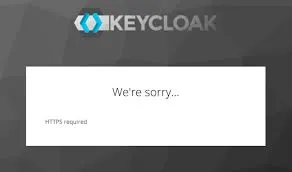 因为只是想快速测试,不想折腾证书相关的东西,所以想临时关闭掉HTTPS配置,应该一番搜索,发现可以通过docker命令好方式关闭,遂记录一下
解决方法
先登陆对应的keycloak的container环境
1
docker exec -it <container_id> /bin/bash
命令行登陆realm/master
1
2
3
cd /opt/keycloak/bin/
./kcadm.sh config credentials --server http://localhost:8080 --realm master --user admin再关闭 realms/overleaf的https验证 (overleaf是我在用的application对应的realm)
1
./kcadm.sh update realms/overleaf -s sslRequired=None --server http://localhost:8080
参考
[1] https://iamarshrx.medium.com/setting-up-keycloak-docker-with-https-requirement-issue-4d6574652fc4